"It's broken." But which page?
Which browser?
What did it look like?
FeedbackOtter puts a feedback widget on your client's site that captures annotated screenshots, console logs, and network data automatically — so every bug report actually tells you something.
No credit card required. Up and running in 5 minutes.

The No. 04 Chair
Crafted from solid walnut with a hand-rubbed oil finish. Designed for timeless comfort.
You know this email. You've gotten it a hundred times.
No screenshot. No URL. No browser. No steps to reproduce. Just you, your team, and forty five minutes of back-and-forth trying to figure out what they actually saw.
That's not a bug report.
That's a scavenger hunt.
FeedbackOtter ends it. Your clients click a button, annotate what's broken, and submit — and you get the screenshot, the page URL, the browser, the OS, the console errors, and the network logs. Everything. Automatically.
Three steps.
Zero confusion.
Your clients don't need a tutorial. The widget is self-explanatory — and so is every report they send.
Add the widget.
Paste one script tag into your client's site. That's the entire setup. No CLI, no npm, no build step. Works on any stack.
Client spots a bug.
They click the widget. A screenshot is captured instantly. They draw on it, drop a comment, and hit submit. Done in under a minute.
You get everything.
Annotated screenshot, page URL, browser, OS, console logs, network logs. Straight to your dashboard — or directly into Linear, GitHub, or Slack.
Everything your clients forget to send — captured automatically.
Your clients are great at their jobs. Describing bugs isn't one of them. FeedbackOtter handles that part so they don't have to.
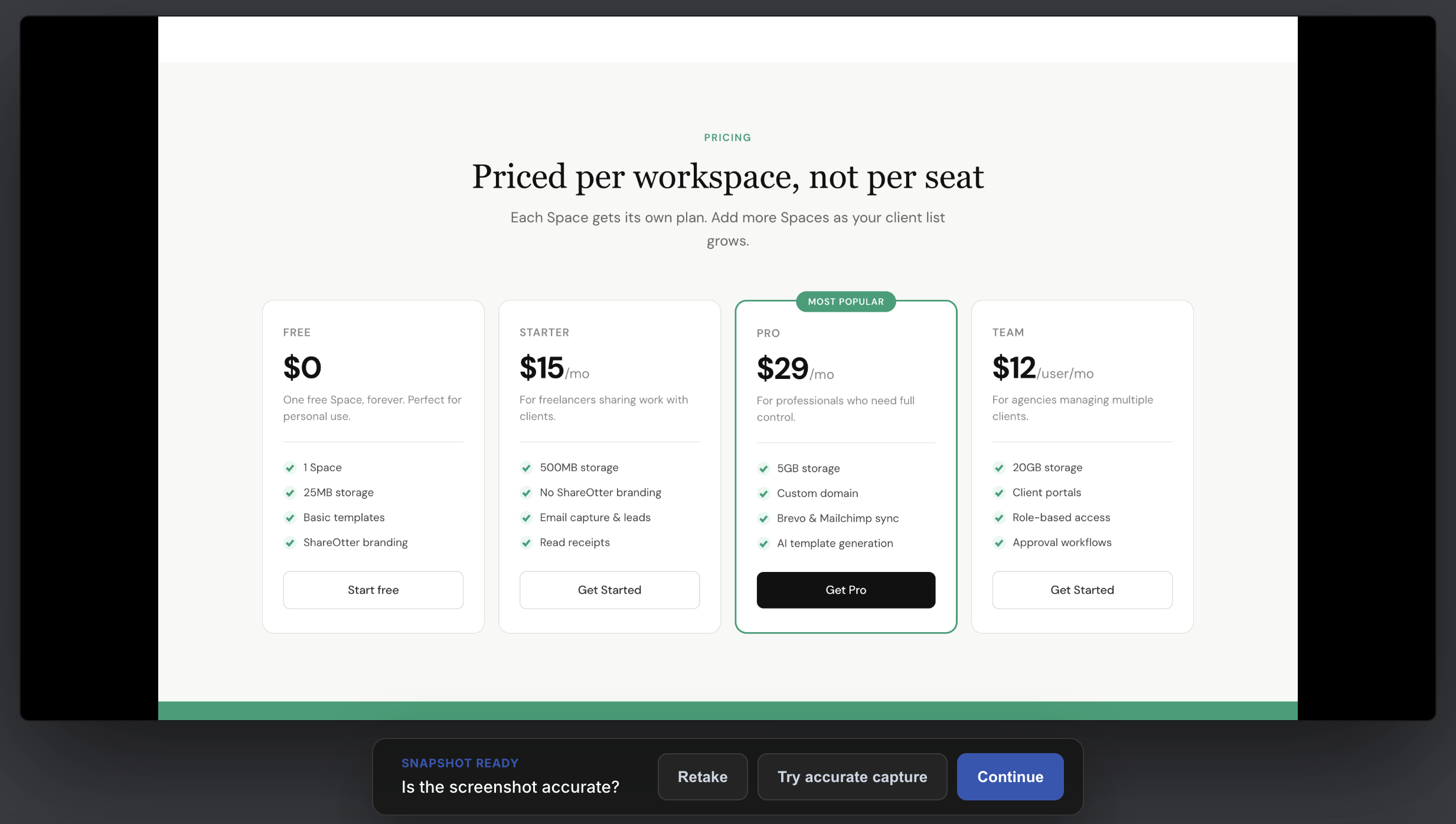
A picture of exactly what they saw.
Not their attempt to describe it.
The moment your client clicks the widget, FeedbackOtter captures a pixel-perfect screenshot of the page they're on — in their actual browser. No uploads. No attachments. No "can you send me a screenshot?" emails.
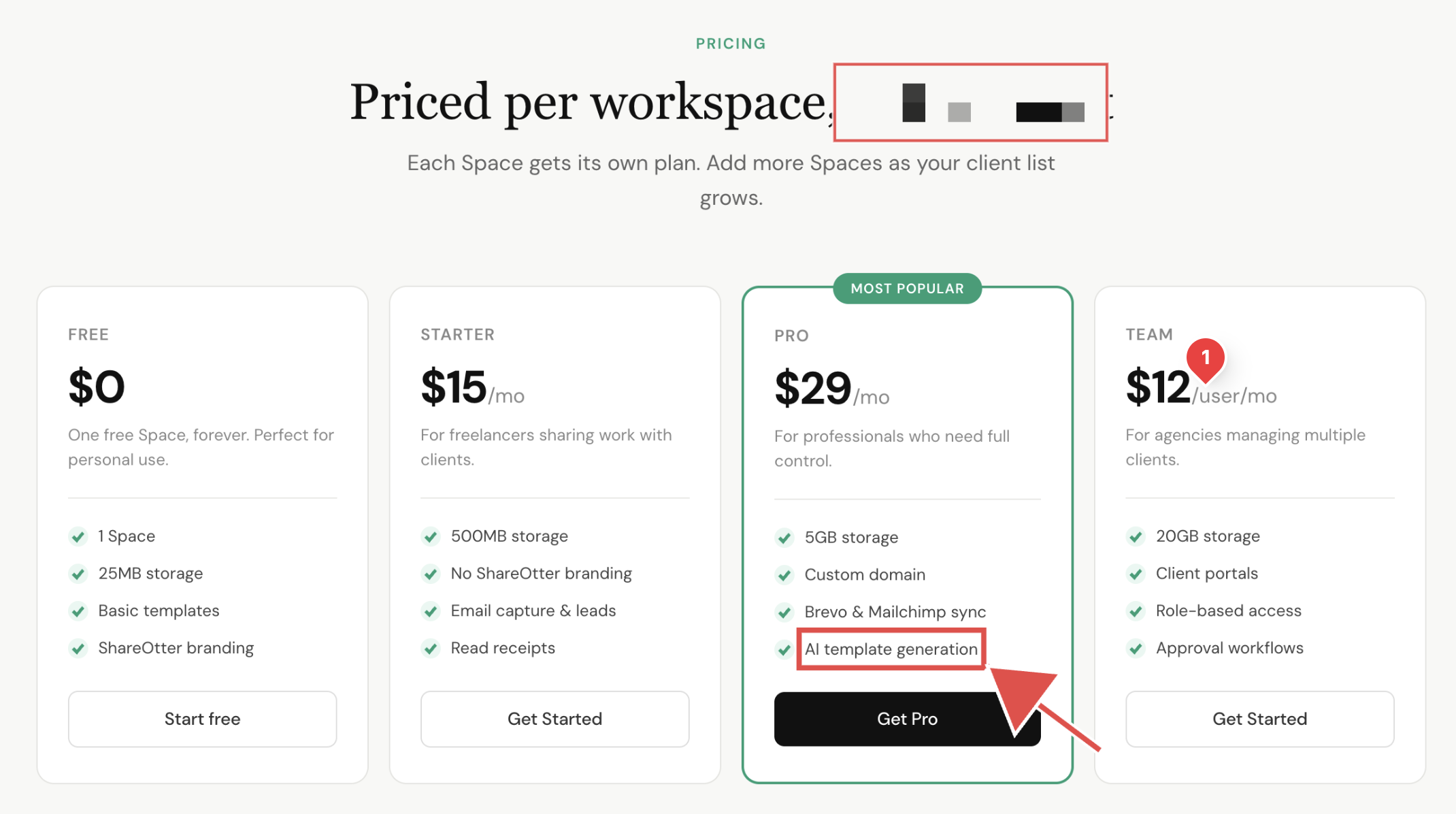
They point at the problem.
You see exactly what they mean.
Clients can draw arrows, add rectangles, drop comments, and pixelate anything sensitive — right on the screenshot. No more reading between the lines of a vague email. No more misunderstandings about which button, which section, which page.
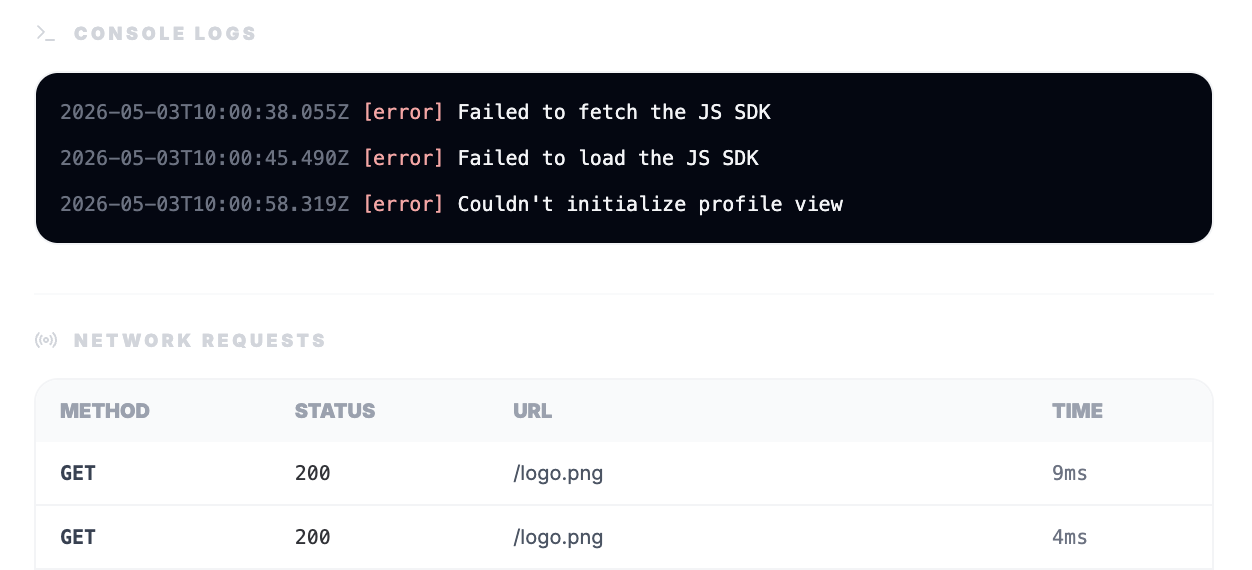
The technical context your developers
needed all along.
Enable log recording and every submission automatically includes console errors and network requests from the moment the report was created. Your devs get straight to the fix — no follow-up questions, no reproduction steps, no wasted afternoon.
Every report in one place.
Your whole team on the same page.
No more feedback scattered across email threads, Slack messages, and Loom recordings. It all flows into one dashboard — organised and ready to act on.
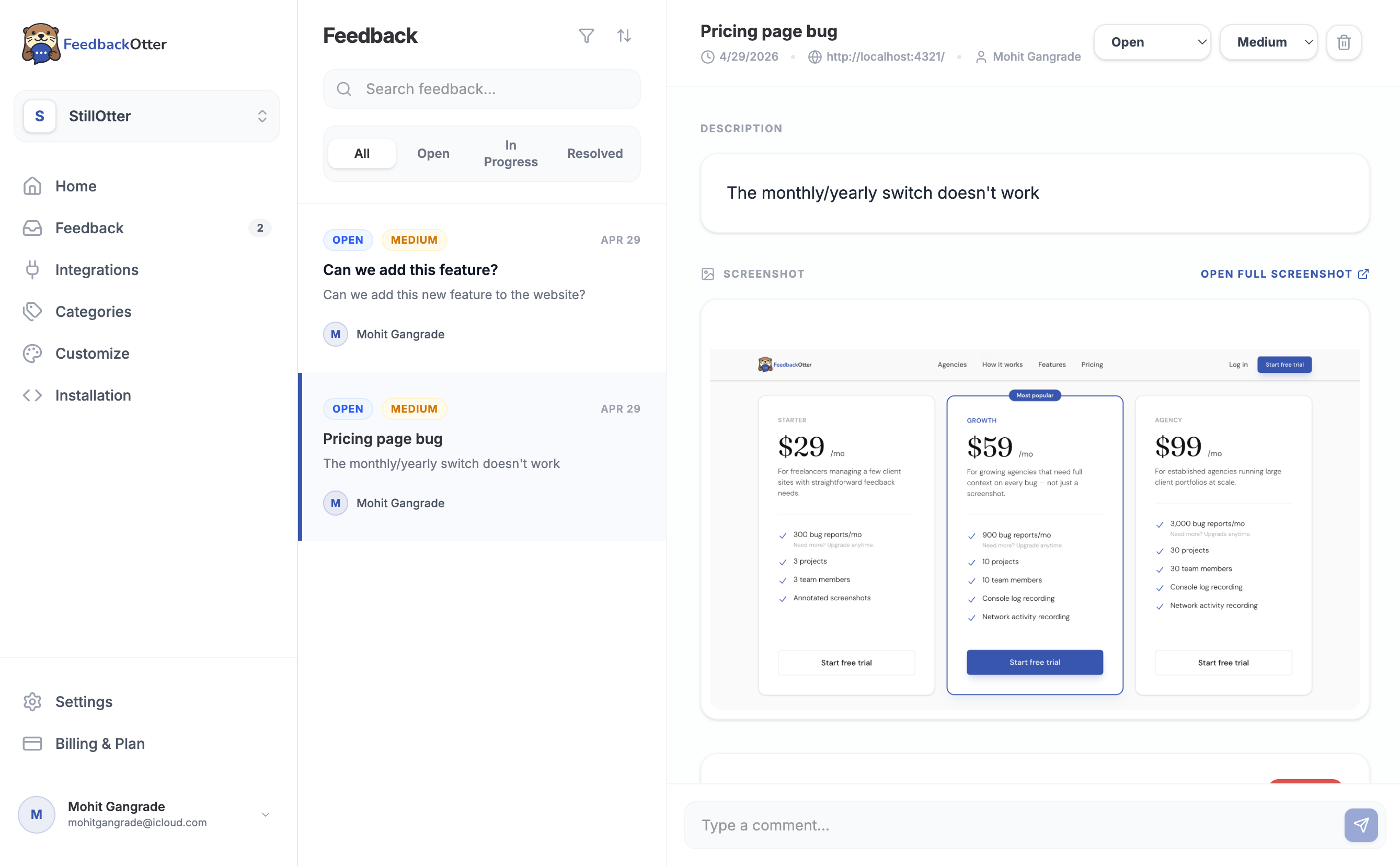
One place for every client's feedback.
Nothing slips through.
All reports — from every client site — land in a single dashboard. Filter by project, category, or status. See the full report at a glance. Assign it, prioritise it, and close it without leaving FeedbackOtter.
Discuss it where it lives.
Not three threads away.
Leave comments directly on any feedback item. Your designers, developers, and project managers stay aligned on every report — without switching to Slack or digging through email. The full context is always right there.
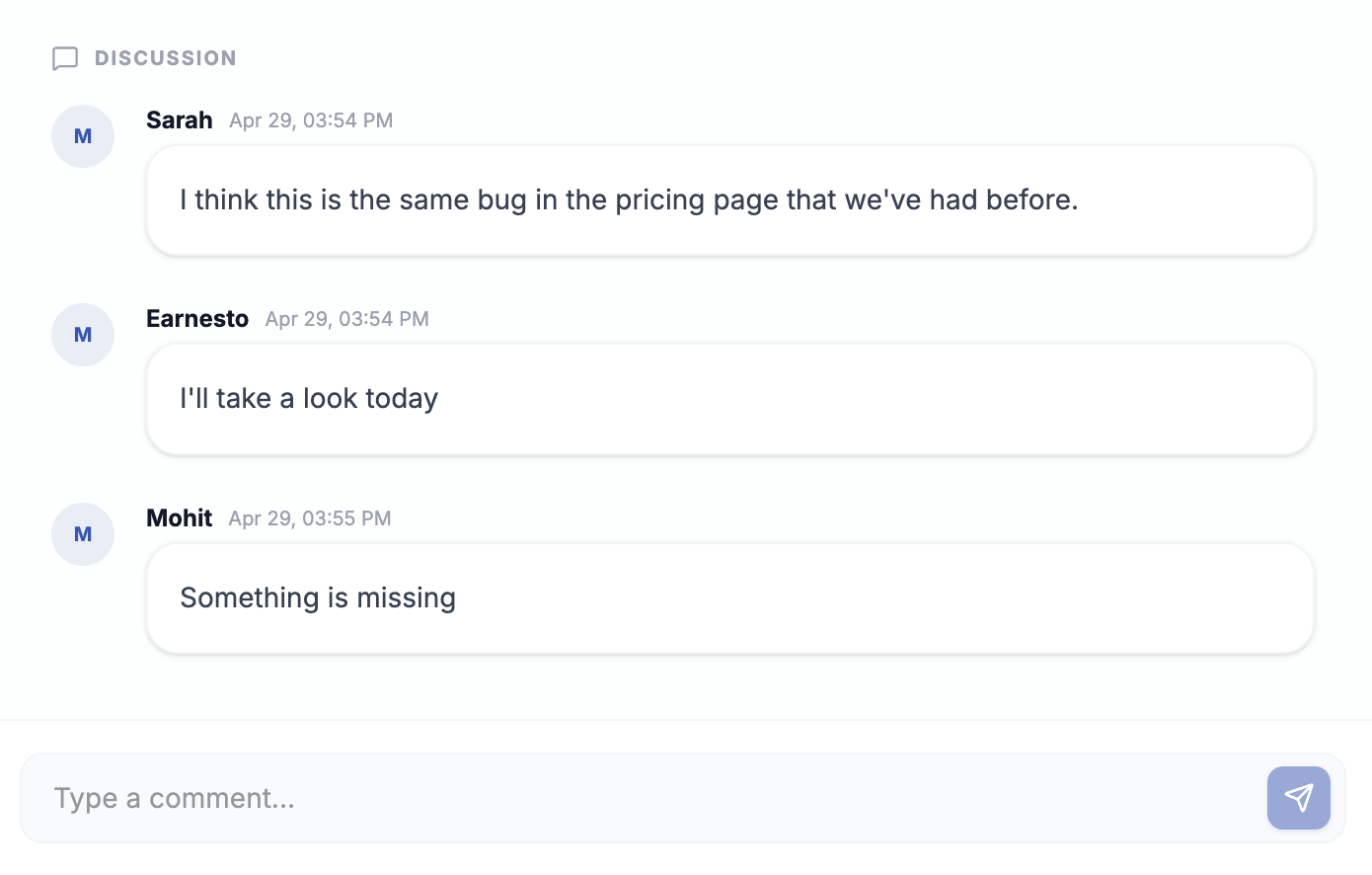

From client report to dev ticket.
One click.
Connect to Linear or GitHub and turn any feedback item into an issue without touching a keyboard. All the context transfers with it — screenshot, logs, URL, browser info. Set it to auto-create, or click manually when something's worth escalating.
Give your clients visibility.
Without giving them access to everything.
Clients want to know their feedback is being heard. The public board shows them exactly what's on your radar — without exposing your internal dashboard.
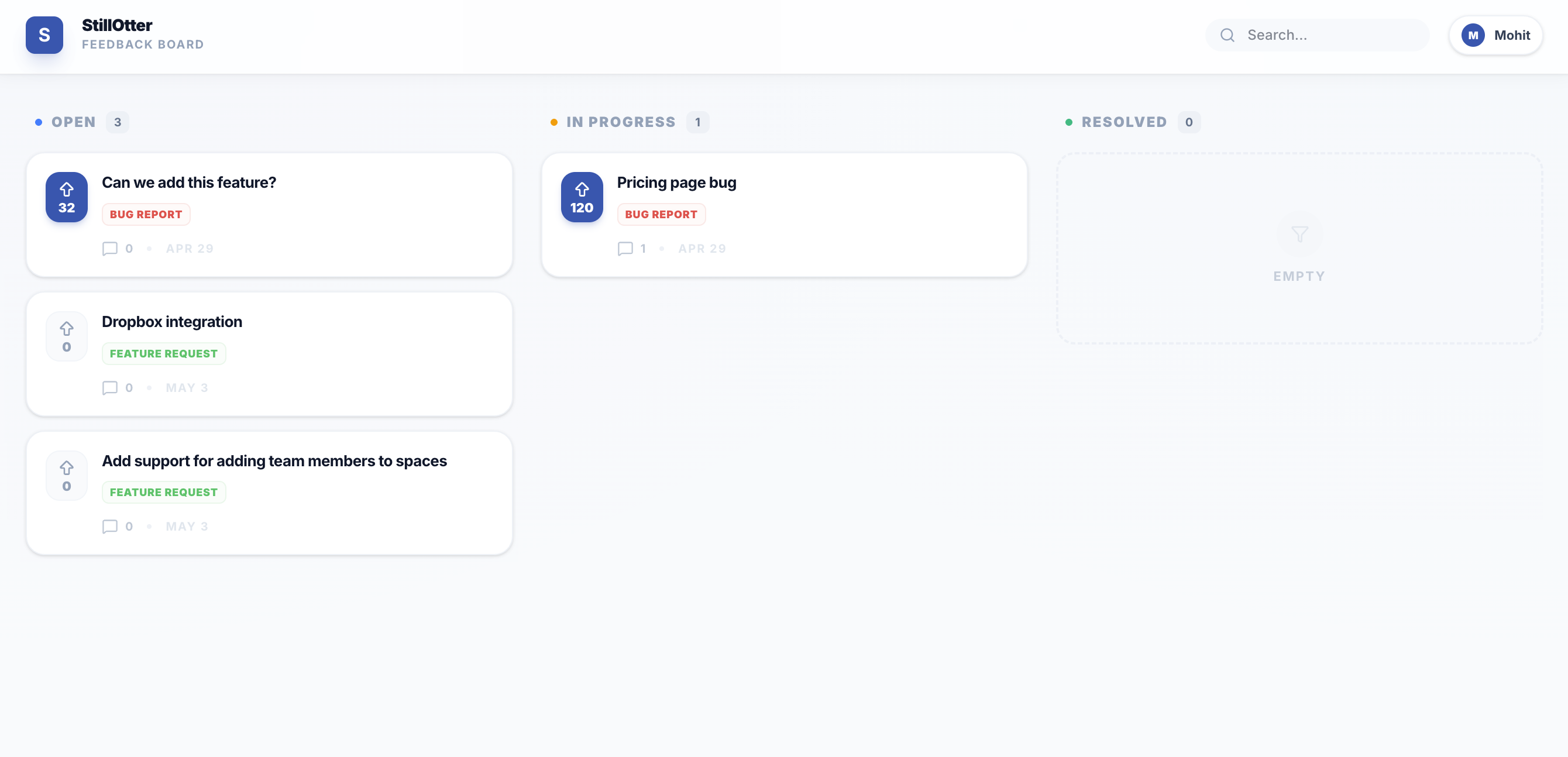
A shared view that keeps clients in the loop — on your terms.
Handpick feedback items from your dashboard and pin them to a public board. Share the link with your client. They see what you're working on, vote on what matters most, and leave comments. You stay in control of what's visible.
Let clients prioritise. Stop second-guessing what to fix first.
Clients vote on the items that matter most to them. The highest-voted rise to the top. No more long calls debating priority — the board does it for you.
More context from clients. Without more back-and-forth.
Clients add comments on board items — extra detail, edge cases, related issues. You get richer context without a single follow-up email.
Drops into your existing workflow.
No new tools to sell your team on.
FeedbackOtter connects to the tools your agency already runs on. Set it up once and it works in the background.
Linear
Turn client reports into Linear issues automatically or on demand. Screenshot, logs, and URL transfer with it. Your devs get everything they need from day one.
GitHub Issues
Push any feedback item straight to your repo as a GitHub issue. No copy-pasting. No reformatting. Just a clean ticket with full context already attached.
Slack
Get a Slack notification the moment new feedback lands. Your whole team stays in the loop without checking another tab.
Your clients will always find bugs.
Now they'll actually tell you
where they are.
Stop losing hours to vague feedback. Give your clients a better way to report — and give your team everything they need to fix it fast.
No credit card required · Cancel anytime