Your customers give terrible feedback. That ends today.
FeedbackOtter captures annotated screenshots, console logs, and network data with every report — so you always know exactly what broke, where, and why.
14-day free trial · No credit card required

The No. 04 Chair
Crafted from solid walnut with a hand-rubbed oil finish. Designed for timeless comfort.
Three steps.
Zero confusion.
You don't need a tutorial. The widget is self-explanatory, and so is every report you get.
Add the widget
Paste one script tag into your site. That's the entire setup. No CLI, no npm, no build step.
Client spots a bug
They click the feedback button. A screenshot is captured instantly. They draw on it, add a note, and hit submit.
You get everything
Annotated screenshot, the page URL, browser, OS, and screen size. Straight to your dashboard — or your GitHub, Linear, or Slack.
Everything your customers forget to send — captured automatically.
Most feedback tools collect what the user types. FeedbackOtter collects what the user doesn't know to include. Every report arrives complete.
A picture of the problem.
Not a description of it.
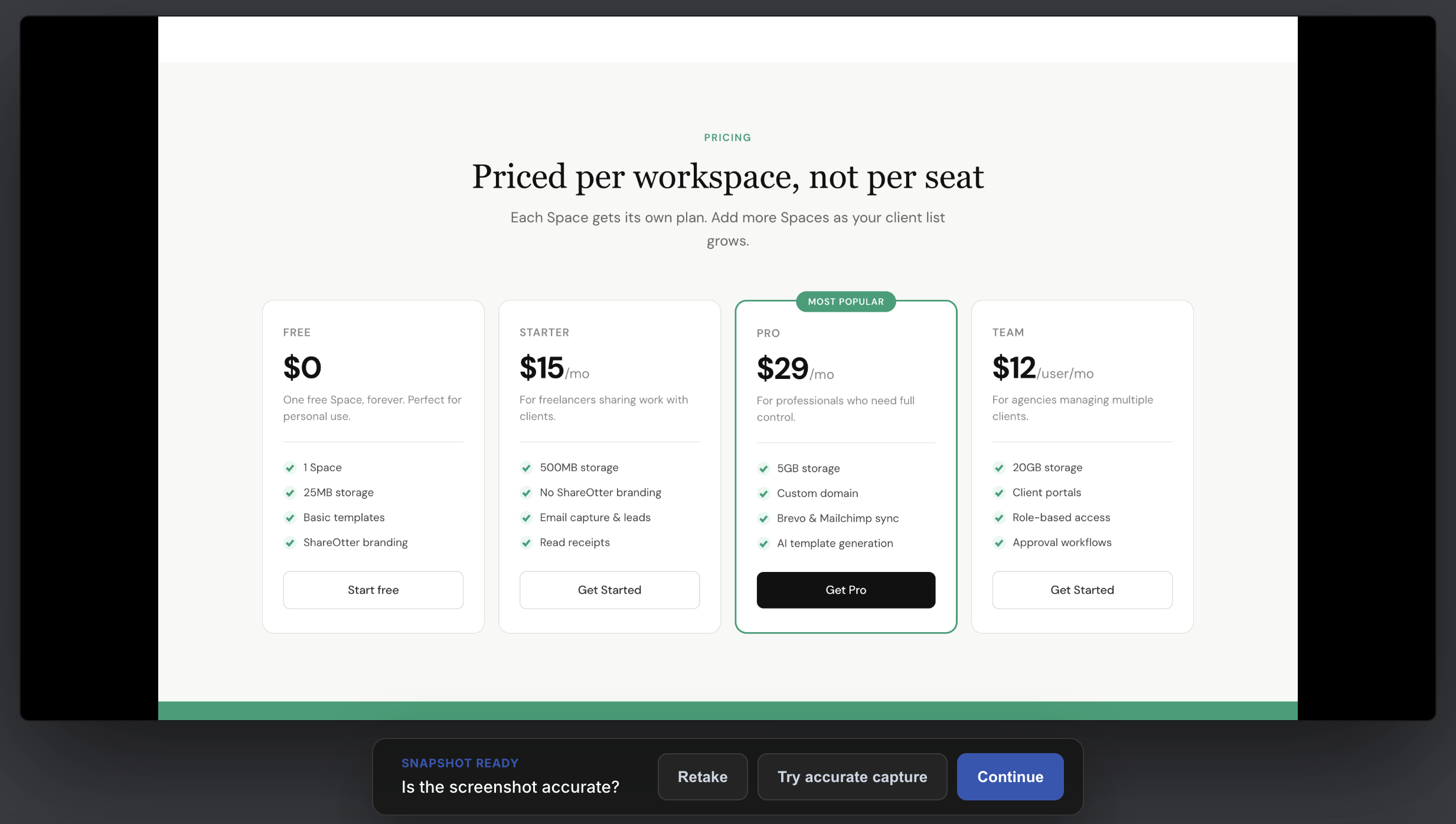
The moment your customer clicks the widget, FeedbackOtter captures a pixel-perfect screenshot of what they're seeing — the actual page, in their actual browser. No uploads. No attachments. No "can you send a screenshot?"
They show you exactly what's broken.
No ambiguity.
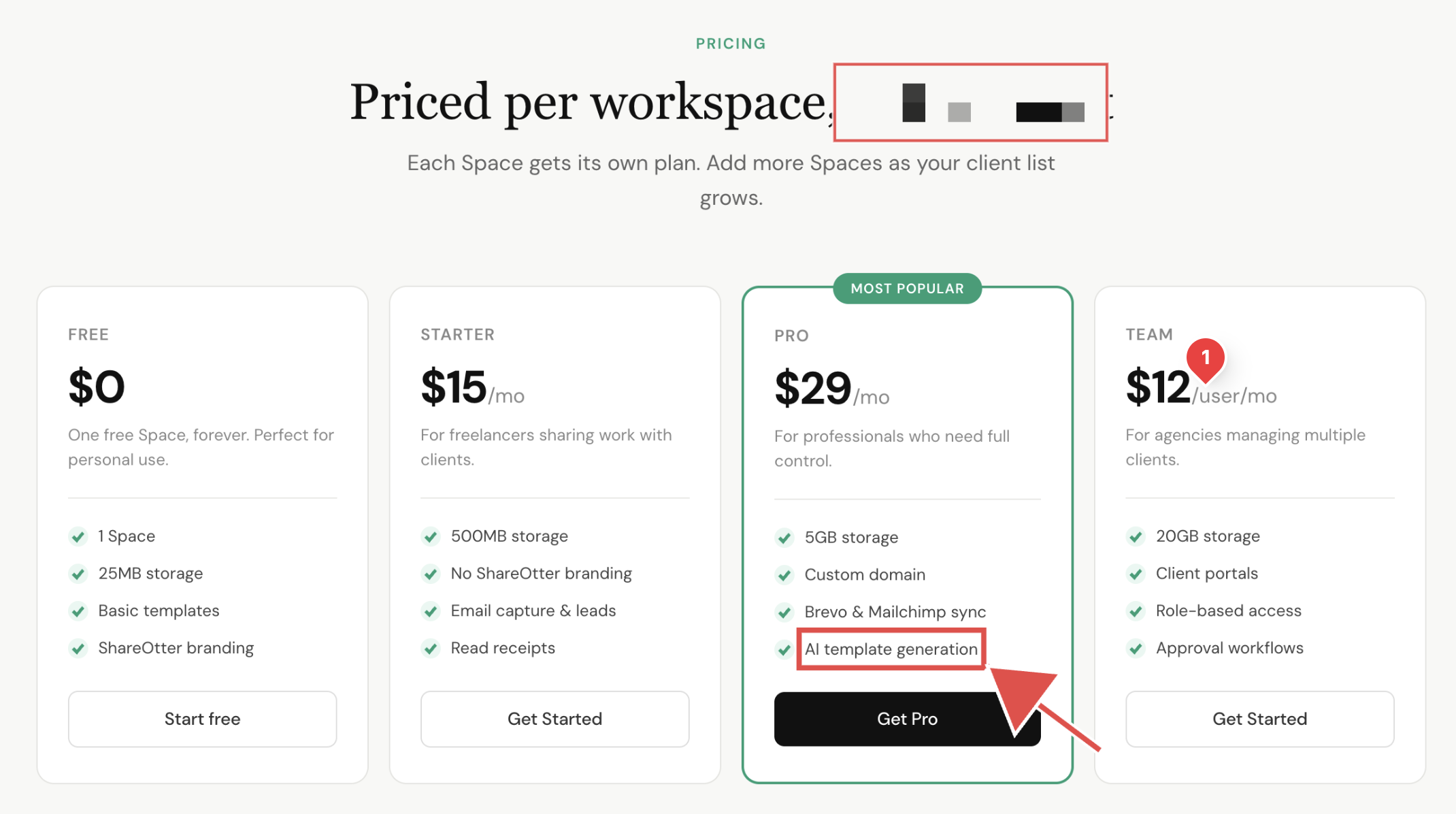
Your customers can draw arrows, add rectangles, drop comments, and pixelate anything sensitive — right on the screenshot. You get a marked-up image that points directly at the problem. No more reading between the lines.
The bug report your developers
actually wanted.
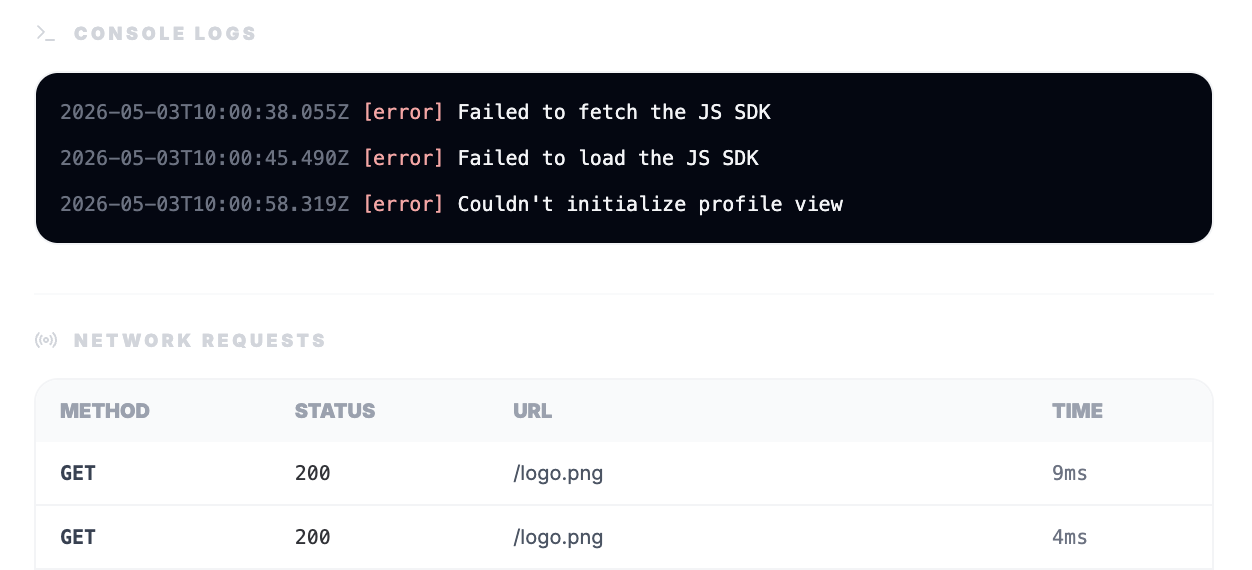
Enable log recording and every feedback submission automatically includes console errors and network requests captured at the moment of the report. Your dev team gets the full picture — without asking a single follow-up question.
From report to resolved. Without the chaos in between.
Every piece of feedback lands in one place — organised, actionable, and ready to hand off. Your team stops digging through inboxes and starts fixing things.
One inbox for every report.
Zero email threads.
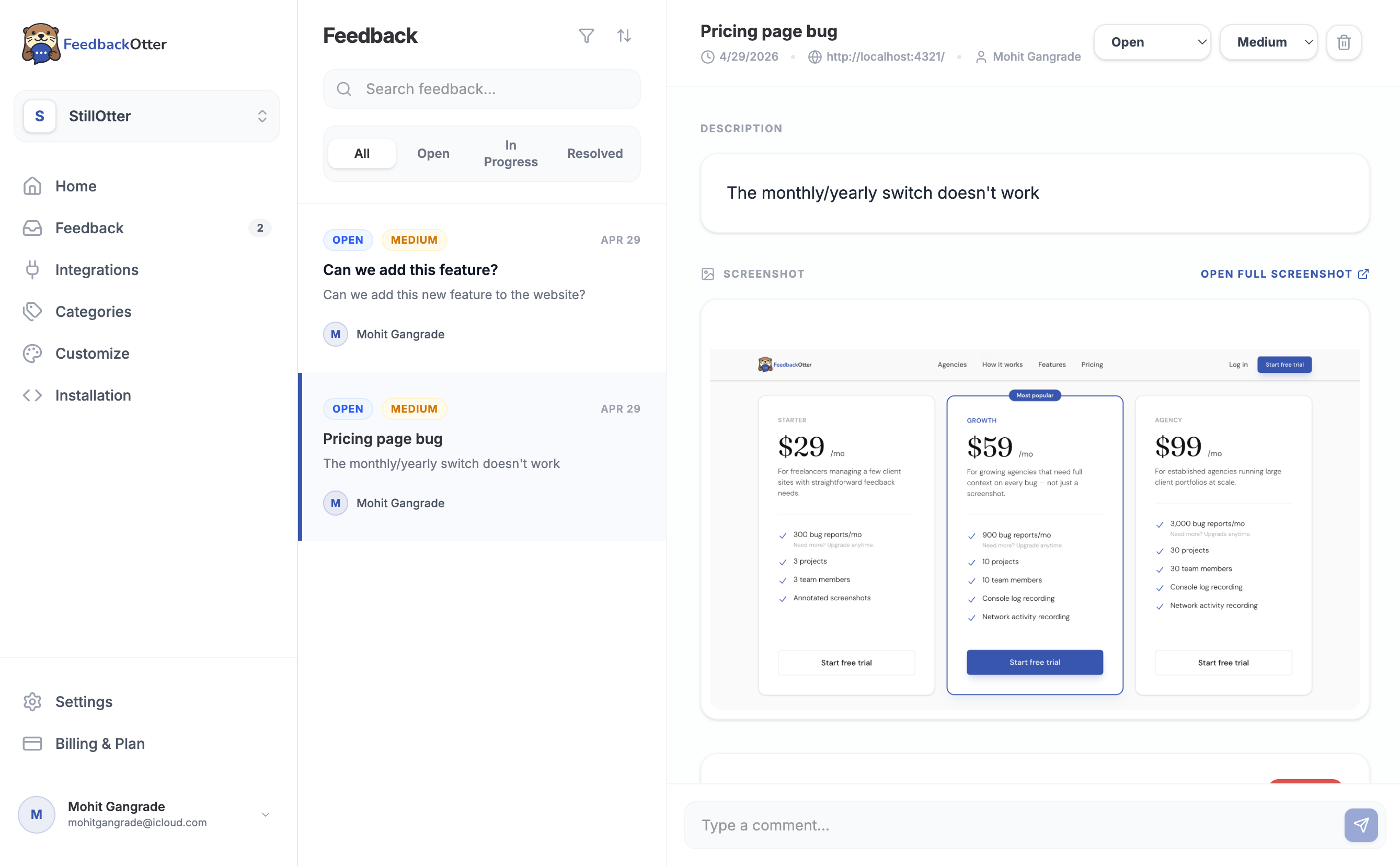
Every submission — from every project, every client, every user — flows into a single dashboard. Filter by category, status, or date. See the screenshot, the logs, and the context at a glance. Assign, prioritise, and close without leaving FeedbackOtter.
Keep the conversation
where the work is.
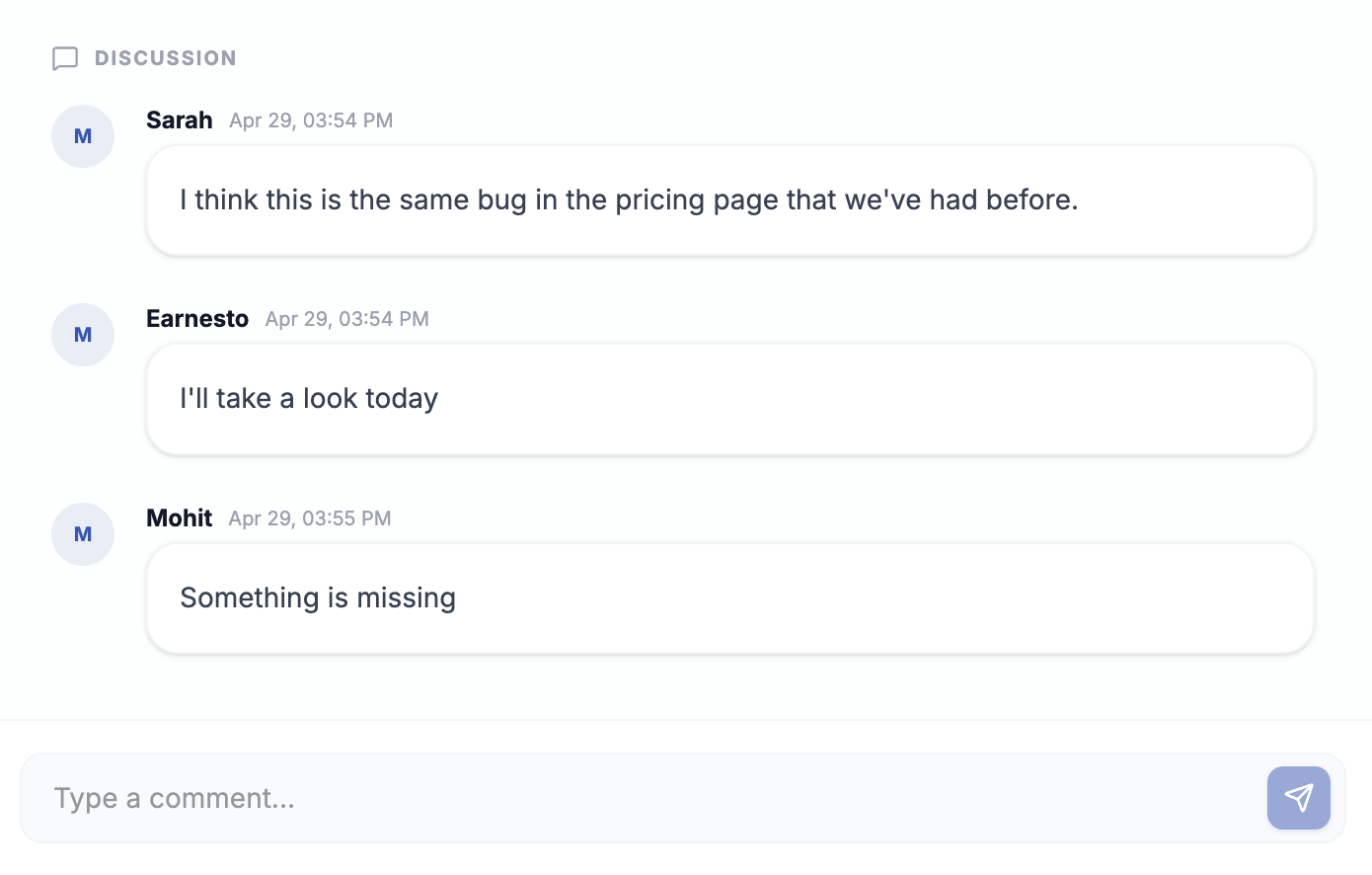
Leave comments directly on any feedback item. Ask questions, share context, flag blockers — without switching to Slack or email. Your whole team stays aligned on every report, right inside FeedbackOtter.

Turn feedback into tickets.
Automatically or on demand.
Connect FeedbackOtter to Linear or GitHub and create issues without copy-pasting a thing. Set it to auto-create on every new report, or click 'Create issue' when something's worth escalating. Either way, nothing falls through the cracks.
Show your users their feedback goes somewhere.
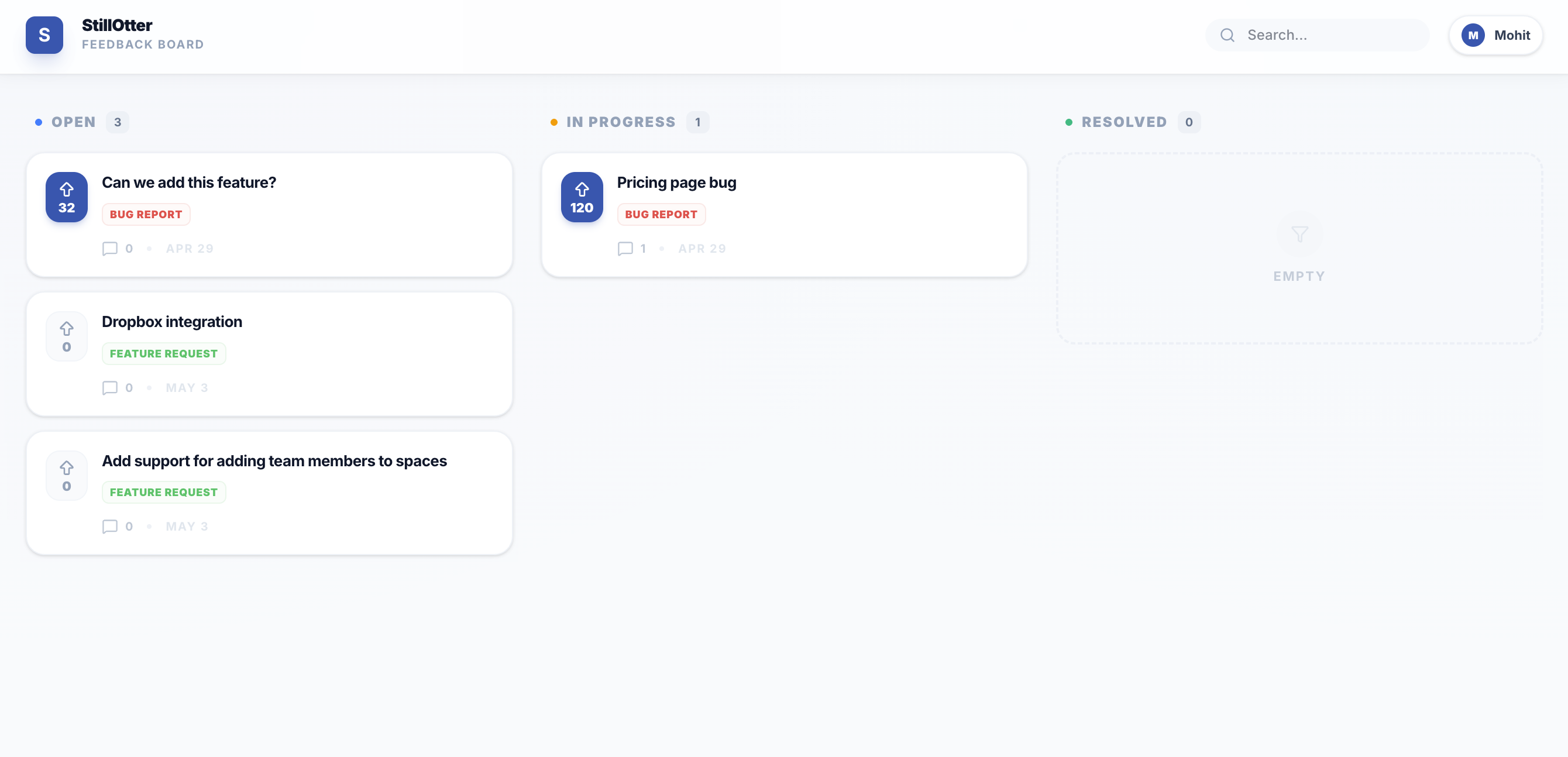
Most feedback disappears into a black hole. The public board changes that — giving your users a place to vote, comment, and see what's actually being built.
A public roadmap your users
actually trust.
Handpick feedback items from your dashboard and pin them to a public board. Share the link with your users — no login required. They see what you're working on, vote on what matters most to them, and leave comments. You get a direct signal on what to prioritise next.
Let the crowd tell you what to build next.
Users vote on the feedback items that matter most to them. The highest-voted items surface to the top — so you're never guessing what to prioritise. Build for the many, not the loudest voice in the room.
The conversation continues after the report.
Users can leave comments on any board item — adding context, sharing workarounds, or simply saying "yes, this affects me too." More signal, less noise.
Fits right into the tools you already use.
No new processes. No convincing your team to adopt another platform. FeedbackOtter connects to your existing workflow in minutes.
Linear
Turn feedback into Linear issues automatically or with one click. All context — screenshot, logs, URL — transfers with it. Your team picks it up without missing a beat.
GitHub Issues
Push feedback straight to your GitHub repo as an issue. No copy-pasting. No formatting. Everything your developers need is already there when they open it.
Slack
Get notified in your chosen Slack channel the moment new feedback lands. Your team stays in the loop without having to check another dashboard.
Simple pricing.
No surprises.
All plans include a 14-day free trial. No credit card required to get started.
For freelancers managing a few client sites with straightforward feedback needs.
- 300 bug reports/moNeed more? Upgrade anytime.
- 3 projects
- 3 team members
- Annotated screenshots
For growing agencies that need full context on every bug — not just a screenshot.
- 900 bug reports/moNeed more? Upgrade anytime.
- 10 projects
- 10 team members
- Console log recording
- Network activity recording
For established agencies running large client portfolios at scale.
- 3,000 bug reports/moNeed more? Upgrade anytime.
- 30 projects
- 30 team members
- Console log recording
- Network activity recording
Your next bug report should explain itself.
Set that up today.
Join teams who've stopped chasing context and started shipping faster. Free trial, no credit card required.
No credit card required · Cancel anytime