

Quick start
This page takes you from sign-up to your first customer idea. It takes about ten minutes.
1. Sign up
Section titled “1. Sign up”Go to app.feedbackotter.com/signup. Enter your name, email and a password.
We email you a link. Click it to confirm your address. No email? Check your spam folder, or send it again.
2. Create your workspace
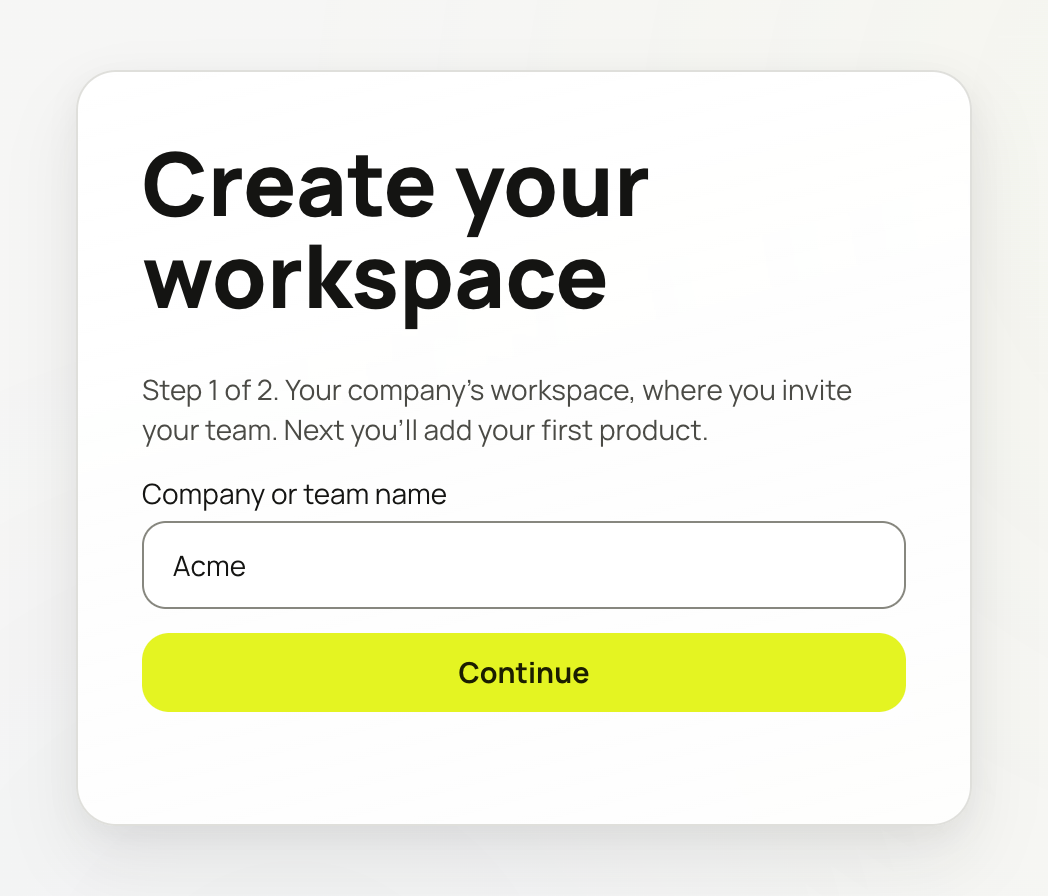
Section titled “2. Create your workspace”A workspace is your company. Your team joins it, and it holds all your products.
Enter your company name and click Continue.
3. Add your first product
Section titled “3. Add your first product”A product is one app you collect feedback for. Each product gets its own public board, widget and settings.
Enter the product’s name.
We suggest a board address from it, such as acme.feedbackotter.app.
Click Change to pick another.
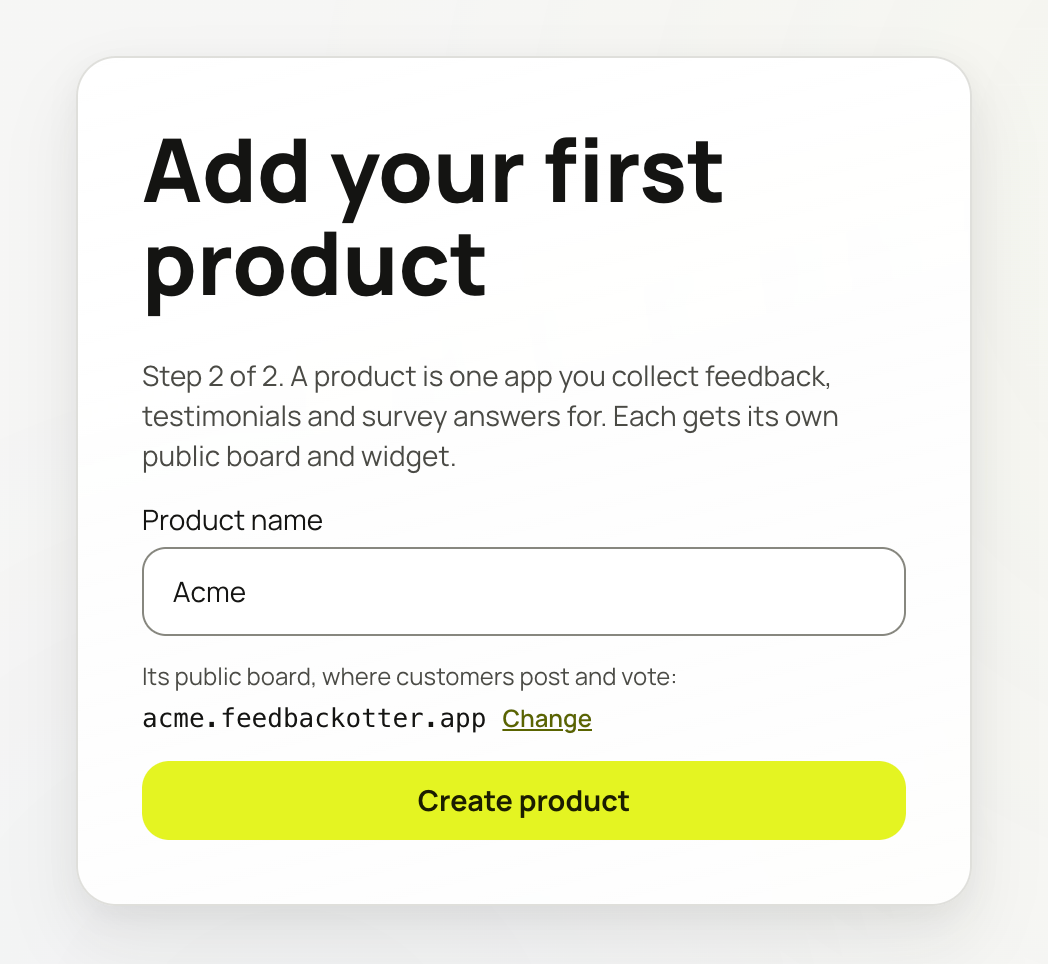
Click Create product.
4. Follow the checklist
Section titled “4. Follow the checklist”You land in the Inbox. The Get started checklist shows what to do next. Each step ticks itself when it’s done.
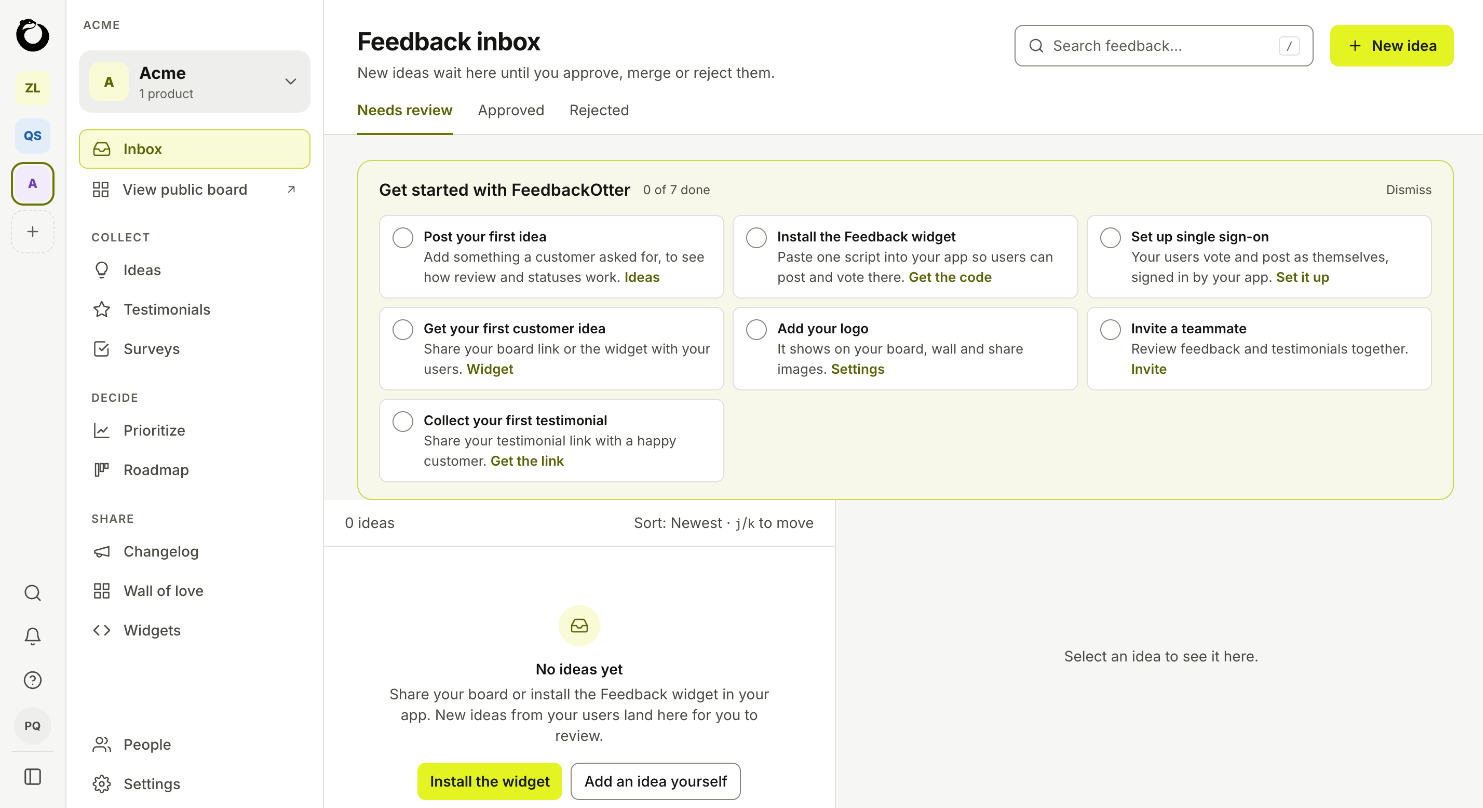
The next steps cover the ones that matter most.
5. Look at your board
Section titled “5. Look at your board”Click View public board in the sidebar. This is where customers see ideas, your roadmap and your changelog.
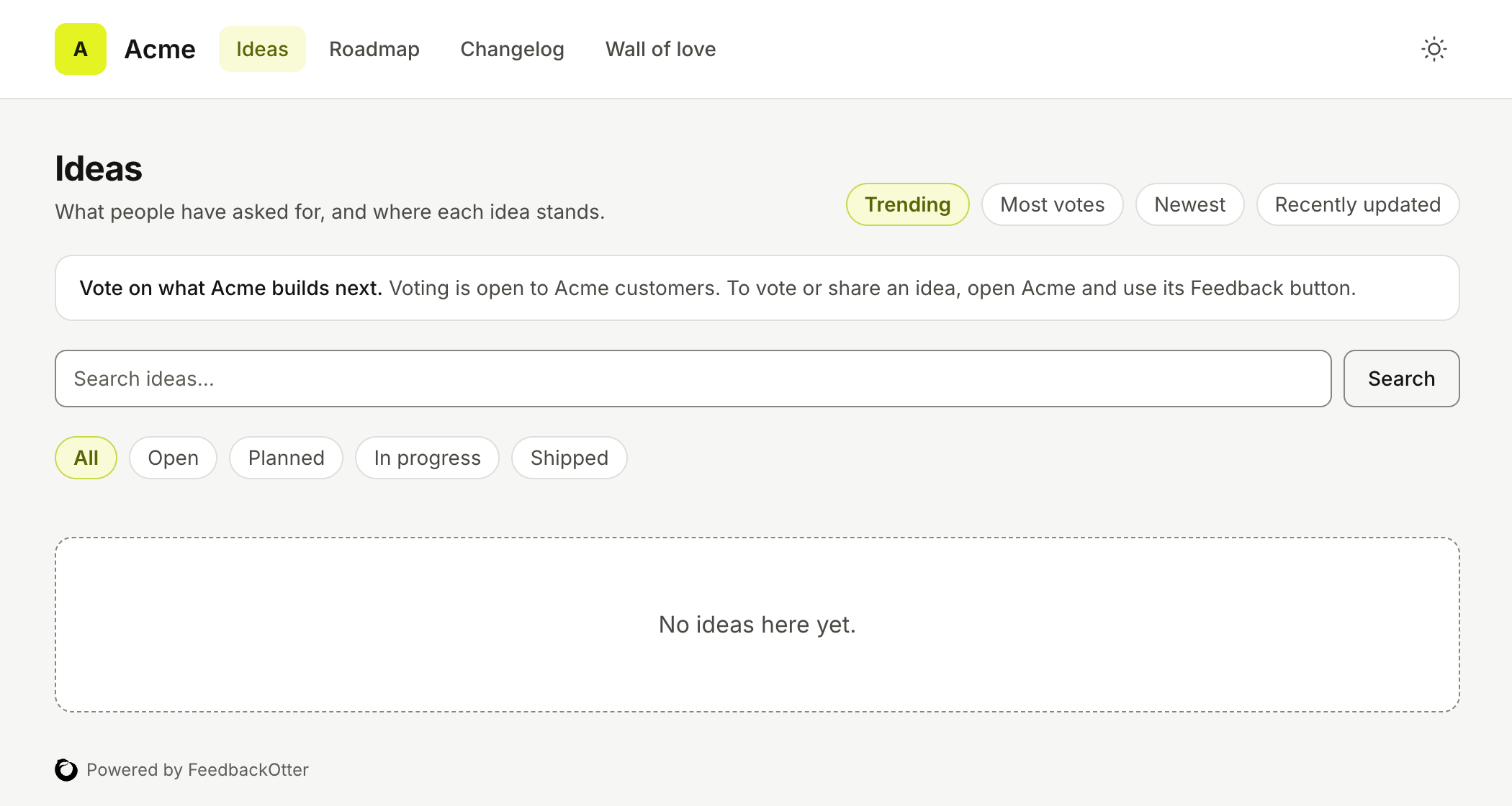
Anyone can read it. Only your signed-in users can vote and post, so the votes come from real customers.
6. Install the widget
Section titled “6. Install the widget”The widget puts a Feedback button in your app. Users post and vote without leaving it.
7. Sign in your users
Section titled “7. Sign in your users”Your server signs a short token for each logged-in user. Then they vote and post as themselves, in the widget and on the board.
8. Post your first idea
Section titled “8. Post your first idea”In the Inbox, click New idea. Add something a customer asked you for.
Your own ideas go straight onto the board. Ideas from customers wait in the Inbox until you approve them.
Then change an idea’s status to Planned, In progress or Shipped. It moves along your roadmap.
That’s it. You’re collecting feedback.
What’s next
Section titled “What’s next”- Invite a teammate: click your initials at the bottom of the sidebar, then Invite teammates. See Team and products.
- Add your logo: Settings → General. It shows on your board.
- Tell users what shipped: post in Changelog. People who voted for a shipped idea get an email.