

Roadmap
Your roadmap is your ideas, grouped by status. There are no separate roadmap items: move an idea, and its votes and followers come with it.
Statuses
Section titled “Statuses”Every idea has one status.
| Status | Means | On the public roadmap |
|---|---|---|
| Open | Not decided yet. | Off by default. |
| Planned | You’ll build it. | Always. |
| In progress | You’re building it. | Always. |
| Shipped | It’s live. | Always, for 90 days. |
| Declined | You won’t build it. | Never. |
Declined ideas stay on the ideas board, marked Declined. Older shipped ideas stay on your changelog.
Your team’s roadmap
Section titled “Your team’s roadmap”Click Roadmap in the sidebar.
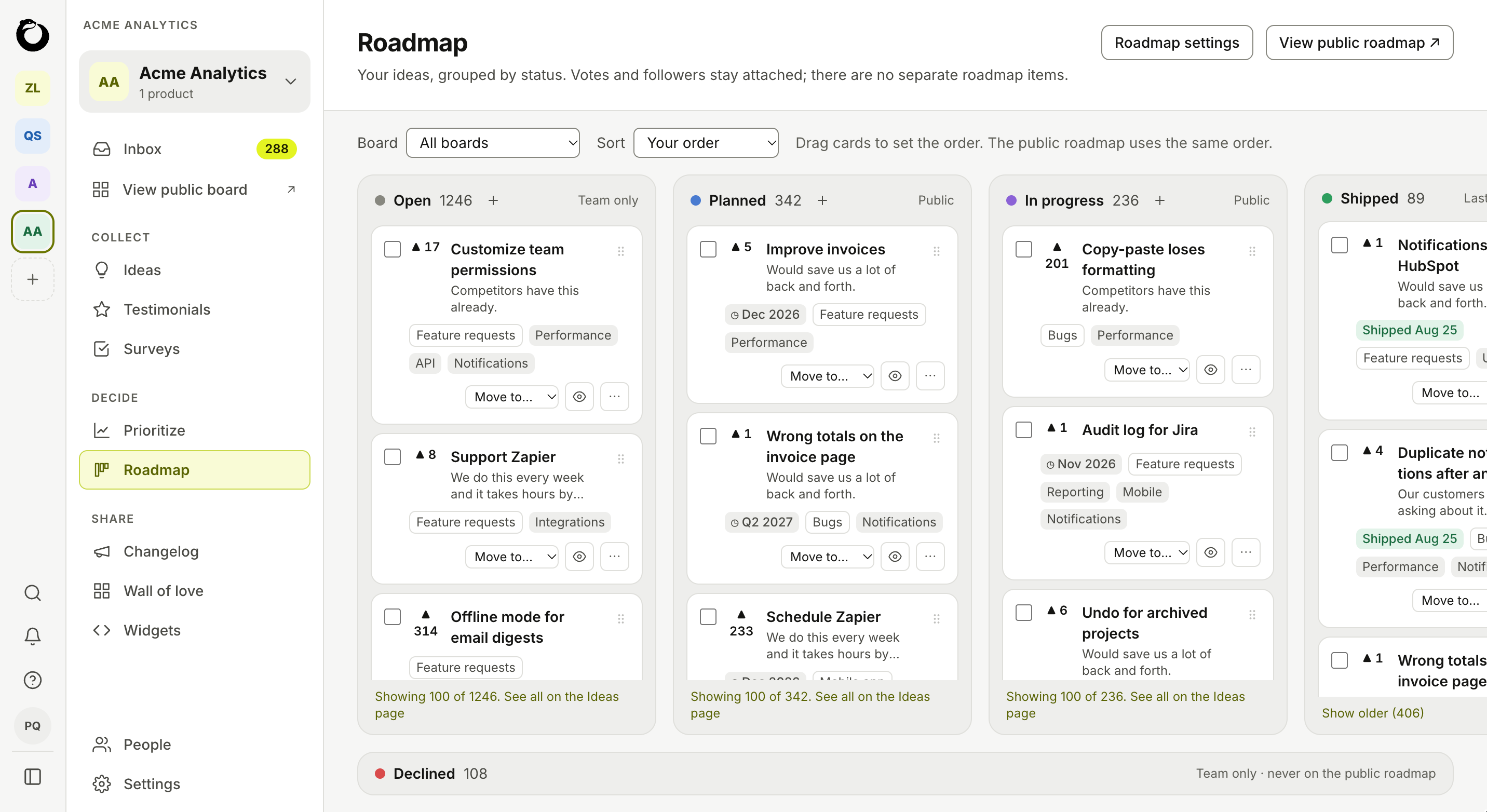
- Drag a card to another column to change its status.
- Drag within a column to set the order. The public roadmap uses the same order.
- Or use Move to… on a card. Tick several cards to move them together.
Each column header says whether it’s Public or Team only.
Hide one idea
Section titled “Hide one idea”Click the eye on a card to keep it off the public roadmap. Voters can still find it on the ideas board.
Timeframes
Section titled “Timeframes”Give an idea a timeframe, such as “Dec 2026” or “Q1 2027”, from the card’s ⋯ menu. It shows on the card. When the period ends, visitors stop seeing it, and the card offers to move it on.
Tell voters when an idea moves
Section titled “Tell voters when an idea moves”When you change a status, we ask who to email before anything is sent.
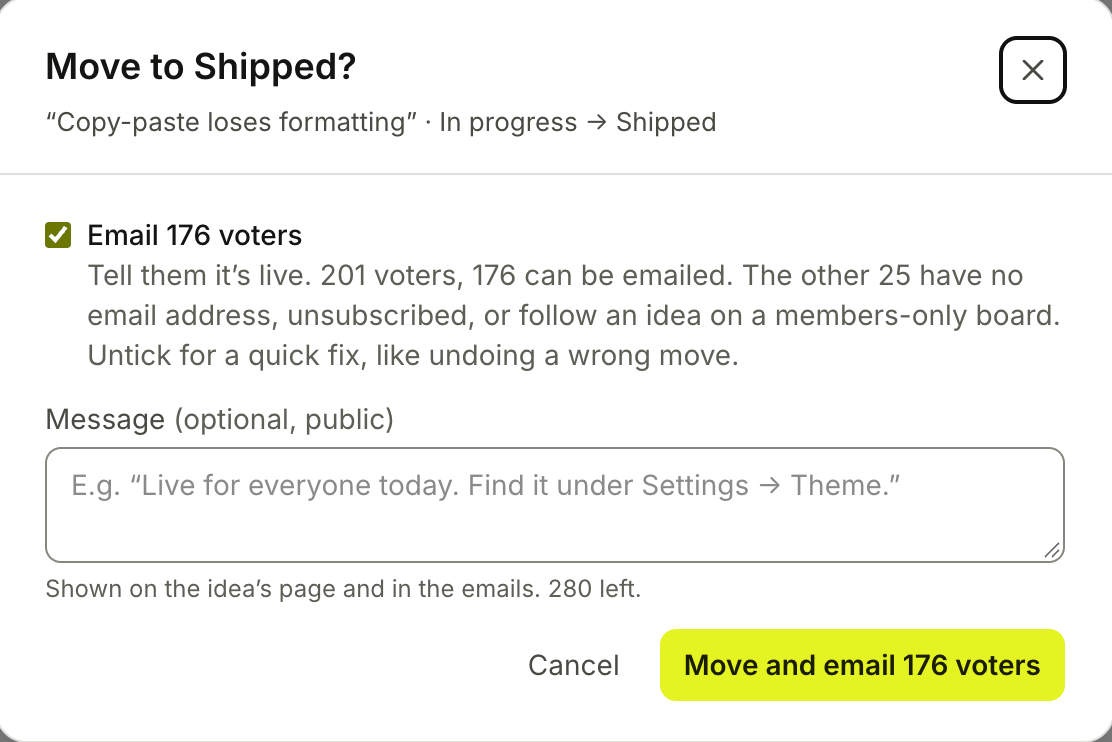
| New status | Who can be emailed |
|---|---|
| Shipped | Everyone who voted. Ticked by default. |
| Planned, In progress, Declined | Followers: the author, voters, and anyone who clicked Follow. |
| Open | Nobody. |
The panel says exactly how many people get an email. People without an email address, or who unsubscribed, aren’t counted.
Add a message if you like. It shows on the idea’s page and in the email.
To change whether Planned, In progress and Declined start ticked, go to Ideas → Board settings → Status emails.
Choose what’s public
Section titled “Choose what’s public”Click Roadmap settings.
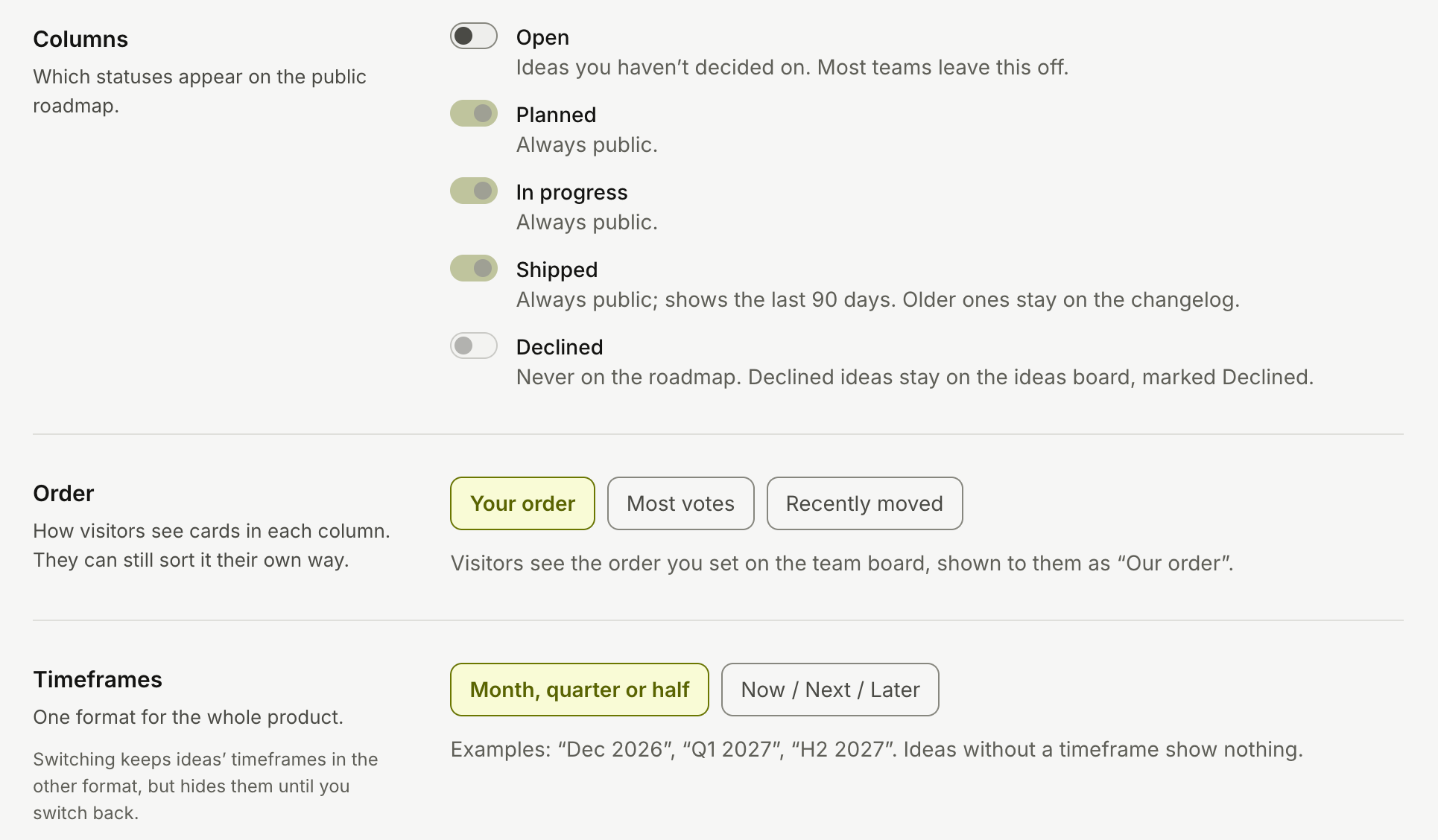
| Setting | Options |
|---|---|
| Columns | Show Open too. Most teams leave it off. |
| Order | Your order, Most votes, or Recently moved. Visitors can still re-sort. |
| Timeframes | Month, quarter or half (“Q1 2027”), or Now / Next / Later. One format per product. |
| Cards show | Short description, timeframe, public tags, board name. Votes and title always show. |
| Where it appears | The Roadmap link on your board site, and the Roadmap tab in the widget. |
Priority scores never show to your users.
Your public roadmap
Section titled “Your public roadmap”Click View public roadmap. Visitors can filter by board, search, and sort.
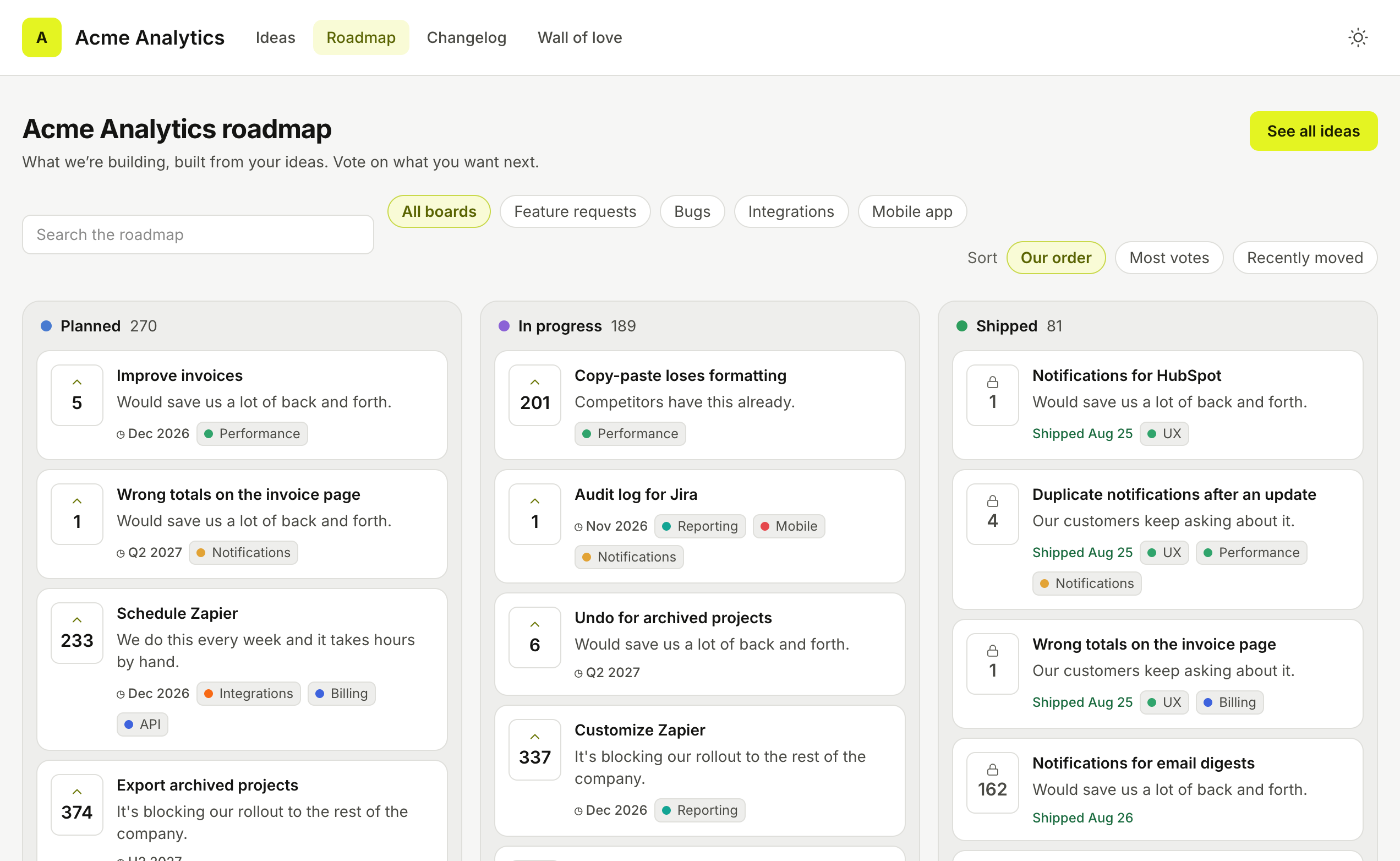
Ideas on Team only or archived boards never show here. See Boards and tags.
The widget’s Roadmap tab shows the same ideas, one status at a time.